With our procedural generation engine capable of producing over 285 trillion unique dungeon layouts and our characters fully animated, the next critical step for Project Labyrinth was to give the game a memory.
Phase 2 focused on transforming a raw tech demo into a structured, persistent gameplay experience. This involved engineering a centralized interaction hub, resolving hard-teleport physics clashes, and building a robust, cross-platform JSON save/load architecture.
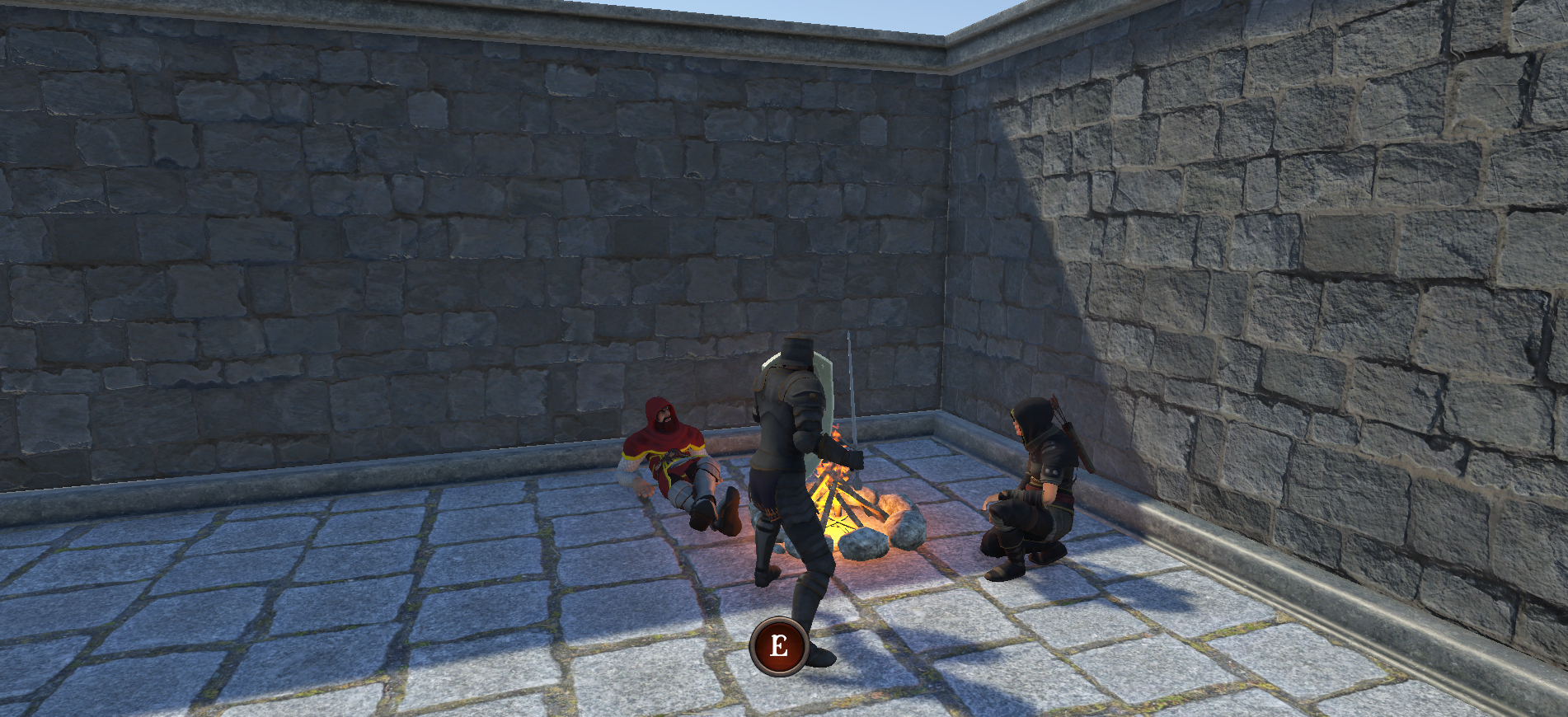
The Campfire Hub & The Dynamic Character Swap Loop
The campfire serves as our localized safe zone—a tactical pause where players can manage their party.

- The Interaction State: Approaching the campfire triggers a
CampfireInteractionsystem. This locks the player’s physical input and safely transitions the camera system to handle preview models. - The Hot-Swap Loop: Inside the
GameController, I engineered a seamless prefab replacement loop. The script records the exact position and rotation of the active player, destroys the old class model, and instantiates the newly requested archetype (Knight, Ranger, or Cleric) on the exact same frame. - The Technical Hurdle: Initially, swapping characters caused the Cinemachine virtual camera to lose its tracking target, resulting in a broken visual state. I resolved this by establishing a strict “handshake” protocol: immediately upon instantiation, the
GameControllerexplicitly fetches a childCameraTargettransform from the newPlayerControllerand forces Cinemachine to re-focus, preventing any tracking dropouts.
Resolving Level Spawning & Physics Clashes
Moving a player through a procedurally changing world requires absolute mathematical alignment between the generation scripts and Unity’s internal physics system.
- Automated Position Synchronization: I cleaned up the “stride math” between the variable room scales (10, 15, and 20 units) by creating an automated position sync function. This ensures the
playerSpawnPointand the world builder’s structural geometry align flawlessly on every new level generation. - The Technical Hurdle (The CharacterController Fight): During room transitions with the portal, the player would frequently snap back to older rooms or glitch out of bounds.
- The Cause: Unity’s native
CharacterControllercomponent processes physics on its own internal cycle and fights manualtransform.positionupdates. - The Solution: I modified the teleport function to briefly disable the
CharacterControllercomponent, execute the hard coordinate shift, and re-enable it on the next line of code. This forces the physics engine to respect the new spatial coordinates instantly.
- The Cause: Unity’s native

Designing the Data-Driven JSON Save System
To allow players to save their progress at a campfire and return to the exact same procedural layout, I designed a lightweight save system using a Data vs. Assets strategy.

The Architecture (SaveData.cs & SaveSystem.cs)
- Overcoming Unity Serialization Limits: Unity’s native
Vector3cannot be directly converted into plain JSON strings. To bypass this, I wrote a custom, purely serializableSerializableVector3struct that breaks the coordinates down into simple float primitives (x, y, z). - Data vs. Assets (Future-Proofing): Instead of saving heavy, runtime-dependent assets like UI Sprites or 3D prefabs directly into JSON text, the system uses a string-mapping architecture. Items and challenges are reduced to lightweight text identifiers (
itemID,challengeID) that map back to static ScriptableObject blueprints. - The File IO Engine: A static
SaveSystemscript serializes the data structure into a JSON string usingJsonUtilityand securely commits it to the operating system’s local memory directory withApplication.persistentDataPath.
Bulletproofing the Loading Sequence
A save system is only as good as its restoration stability. Hooking the save functionality up to the Campfire UI revealed critical timing bugs that required deep-engine solutions.
- The Technical Hurdle (The Ghost Player Bug): On initial load tests, the game would mistakenly spawn the player back at the map’s default origin instead of the saved campfire coordinates.
- The Cause: Unity’s standard
Destroy()function is asynchronous and waits until the end of the frame to clean up garbage. The loading script was executing faster than the cleanup, mistaking the dying player object for the active one. - The Solution: I switched the cleanup sequence to
DestroyImmediate(). This cleanly vaporizes the old player object instantly, clearing the “Player” tag from the hierarchy so the loading function can safely execute a fresh spawn.
- The Cause: Unity’s standard
- Camera Snap Polish: To eliminate a jarring 1-to-2 second camera interpolation delay when exiting the campfire menu, I forced Cinemachine to execute a hard
.Warp()command, instantly snapping the framing rather than slowly panning back from the menu camera setup.
Technical Standards Demonstrated
Advanced Engine Architecture: Overriding Unity’s physics cycles (CharacterController locking) and frame execution order (DestroyImmediate).
Data Serialization: Designing custom serializable structs and decoupling asset references from state data with JSON.
Camera Systems Control: Real-time manipulation of Cinemachine target tracking and warp states.
State Management: Executing runtime prefab instantiation and state persistence pipelines.
Moving Into Phase 3
With our characters, procedural world, and persistence systems completely locked down, the foundation of Project Labyrinth is concrete.
Stay tuned for Dev Log #5, where we move into Phase 3: Loot & Narrative UI. I will be taking advantage of our newly built JSON placeholders to implement a shared inventory system, randomized NPC “Barks,” and daily game challenges.