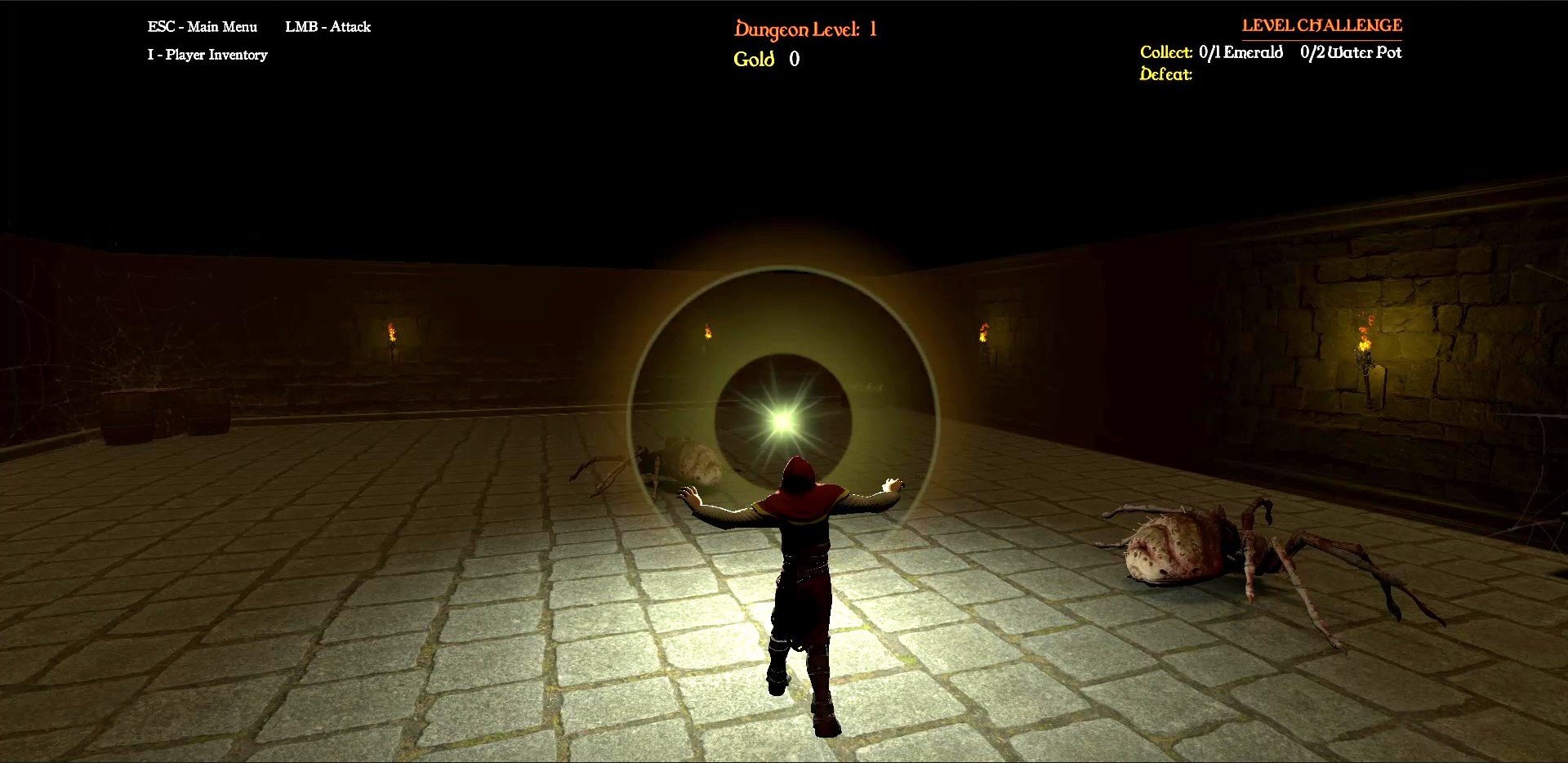
Imagine waking up in a pitch-black, endlessly shifting subterranean labyrinth. The walls morph around you, treasure chests glimmer in hidden alcoves, and dangerous creatures patrol the shadows. Your survival depends entirely on three brave adventurers, dynamic quick-swapping tactics, and your own reflexes.
That is the world I am building. Labyrinth is an infinitely repeating, procedurally generated dungeon crawler RPG designed to test both tactical survival gameplay and high-performance game engineering.
On June 2nd, I passed an incredible milestone on this development journey: I released an active development alpha build of the game on itch.io! Opening the dungeon doors to live player playtesting has been an absolute game-changer. As a solo developer, there is nothing better than listening to real players to help shape the game into a tighter, more rewarding experience.
Our amazing playtesters jumped right into the gauntlet and gave us immediate, highly actionable feedback. Players loved the atmosphere but felt the early movement controls could feel much more natural. They also ran into a frustrating problem: roaming monsters could sneak up and defeat them while they were completely trapped inside menu screens!
Phase 4 (Part 3) is my direct response to that community feedback. I’ve completely overhauled the exploration locomotion loop, introduced deep combat capabilities for our three hero classes, and integrated world-pausing safe zones. Let’s look under the hood at how I have turned player feedback into core game architecture!
Class-Swapping & Modular Combat Architecture
If you love RPGs, you know that combat feels best when every class has a distinct identity. To achieve this without writing messy, disorganized code, I engineered a modular combat pipeline. Every hero utilizes a shared baseline structure for inputs, but triggers completely unique abilities, visual effects, and physics registration behind the scenes.
1. The Knight: Frame-Perfect Melee Colliders
- The Ability: Broadsword Heavy Swing.
- The Experience: The Knight is your frontline shield. Activating his ability triggers a devastating, high-damage sword arc.
- The Architecture: Checking for sword collisions every single frame wastes massive processing power and feels clunky. Instead, the architecture utilizes synchronized Animation Events embedded directly into the timeline. The exact millisecond the sword swings forward, a function named
OpenDamageWindow()wakes up a physical trigger collider on the blade (MeleeWeaponHitbox.cs). - Exploration Safeguard: Because game loops run incredibly fast, a single swing could hit the same monster five times in a split second. To keep things balanced, any enemy struck is instantly saved into a
targetsDamagedThisSwinglist, ensuring they take damage exactly once per attack. When the swing finishes,CloseDamageWindow()turns off the collider and wipes the list clean. Temporary red 3D debug spheres are spawned during testing to guarantee our script logic aligns perfectly with what you see on screen!
2. The Cleric: Volumetric Divine Crowd Control
- The Ability: Holy Burst.
- The Experience: When your party gets cornered by an aggressive swarm in a tight corridor, the Cleric steps up to manipulate the layout and give you breathing room.
- The Architecture: Triggering the spell fires a
TriggerClericSpell()timeline event at the peak of the casting animation. The script instantiates a dazzling holy particle prefab and dynamic light source right at the tip of the weapon (spellSpawnPoint). - AI Brain Infiltration: Mechanically, the script performs a 3D volumetric physics check (
Physics.OverlapSphere) shooting an invisible blast bubble outward at a 6.0-unit radius. If an enemy is caught in the wave, the script directly bypasses its standard tracking logic, accesses its coreEnemyAIBrain.csarchitecture, and forces a hard transition into its specializedRetreatState.cslogic. The enemy immediately abandons its assault, calculates an escape vector away from the spell, and flees in a blind panic.
3. The Ranger: Dual-Phase Archery Physics
- The Ability: Charged Bow Shot.
- The Experience: Perfect for players who love tactical positioning, the Ranger allows you to pick off targets across long distances before they ever smell your party.
- The Architecture: The Ranger utilizes a advanced dual-phase input system that tracks button holds and releases:
- Phase 1 (The Draw): Pressing and holding the button calls
StartDrawingBow(). This freezes your movement, shifts the animator into aiming mode, and fires an animation event (DrawArrowFromQuiver()) that visually snaps an arrow mesh into the hero’s hand. - Phase 2 (The Release): Letting go invokes
ReleaseArrow(). The Ranger snaps forward, hides the cosmetic hand arrow, and fires a physical projectile actor (ArrowProjectile.cs) from the bow’s muzzle.
- Phase 1 (The Draw): Pressing and holding the button calls
- The Sticking Logic: The arrow rides on physics vectors (
transform.forward * speed) using its localRigidbody. The moment it impacts a target, it delivers its damage payload, immediately cuts its velocities to zero, disables its collider, sets its kinematic properties to true, and parents itself directly onto the struck surface (like a wall or a monster’s bone). The arrow rides along realistically with the target before self-destructing after 5 seconds to free up computing memory.
Core System Overhauls & Community Fixes
True RPG immersion comes down to how a game feels to control. Thanks to the itch.io playtesters, our central systems received major upgrades to match modern RPG standards.

1. Camera-Relative Locomotion & Strafing
Our early test build used basic, rigid directional movement. To implement traditional RPG controls, I entirely rewrote PlayerController.cs. Now, inputs are calculated relative to where your camera is pointing! By using vector math to strip away the vertical Y component, your characters move fluidly along flat floor structures instead of trying to float up into the air.
I also integrated full mouse-driven camera orbit rotation and smooth side-to-side strafing. The character model utilizes angular interpolation algorithms (lerp/slerp) to match the camera’s forward-looking direction at all times. This means you can run backward, dart diagonally, or strafe left and right while keeping your eyes and weapons locked perfectly onto incoming threats.
2. Time Dilation UI Pausing
To solve the frustrating playtester bug of characters dying while browsing items, I introduced a global Time Dilation feature. Now, the moment you open your player inventory screen or interact with a treasure chest menu, the script calls an isolation function that stops the world clock entirely (Time.timeScale = 0f). This freezes monsters and physics completely in place, allowing you to safely evaluate loot, change gear, and strategize. Closing the UI safely restores the world clock back to normal speed (Time.timeScale = 1f).
3. Campfire Rest Sites & Safe Zones
The CampfireInteraction.cs script handles our safe-zone recovery loop and cinematic group encampments. When resting at a campfire, the script temporarily unhooks camera controls from the player, smoothly anchoring it onto gorgeous fixed decorative slots (data.trackingTargets) arrayed around the flames. It invokes ResetCameraRotation() to clear out old mouse data so your view never glitches, and runs a visibility check (RefreshDecorativeVisibility()) that keeps unselected party companions visible in resting animations while hiding duplicates.
4. High-Value Treasure Chest Systems
Looting should feel exciting every single time! The updated TreasureChest.cs logic handles chest states and scales loot dynamically.
- The Loot Balance: To prevent common loot items from saturating the dungeon economy and losing their worth, chests now filter out duplicate drops within a single chest, ensuring every item feels precious.
- Dynamic Gold Scaling: Chests now drop a randomized pile of gold coins that automatically scales higher the deeper you descend into the labyrinth layers.
- Quality of Life: To prevent tedious, repetitive clicking, I added a “Take All” macro button. Pressing it automatically pools and scoops up all gold and items in a single click, allowing you to get right back to exploration.
- Save State Preservation: When entering a floor, chests execute a
CheckAndLoadSavedState()parsing pass. If you already looted that chest in a previous save session, it forces the animator to jump straight to its fully opened state instantly.
Framing and Stabilizing the Labyrinth
Advanced Cinemachine 3 Camera Tuning
From day one, Labyrinth has relied on the modern Cinemachine 3 camera infrastructure. This phase focused on refining our orbital settings to create a highly polished third-person perspective. I configured a centralized boom tracking rig with a 0 horizontal shoulder offset and 0 vertical arm length. Paired with balanced tracking damping, the camera glides smoothly with the player without any rubber-banding. To make sure players can’t accidentally tilt the camera underneath the stone floors or flip it upside down, mouse look inputs are bound tightly inside a mathematical clamp (Mathf.Clamp), trapping the orbit safely between -35 and 60 degrees.
Fixing Physics Friction & Anomalies
When building 3D layouts, a common glitch occurs when a player’s physics capsule rubs against a stone wall corner, causing the physics engine to accidentally convert forward movement into a wild spinning frenzy. To eliminate this, I created a custom physical material asset named FrictionlessPlayer with 0 Static Friction, 0 Dynamic Friction, and a Minimum Combine Mode. This allows the player capsule to slide smoothly along dungeon walls. Finally, I locked the X and Z rotation axes on the character’s Rigidbody, ensuring they stay structurally upright while traversing uneven territory.
Technical Skills Demonstrated
- Player-Driven Software Iteration: Translated live alpha playtest data from itch.io into rapid control and UI stability fixes.
- State Machine & Component Linking: Coupled player spell casting pipelines directly with enemy AI configurations (
EnemyAIBrain.cstoRetreatState.cs). - Time Scale Modulation: Programmed state protection loops with time dilation tools (
Time.timeScale) to create responsive game pausing mechanics. - Rigid Physics & Camera Rigging: Designed frictionless materials, constraint locks, and input boundary clamping to eradicate visual clipping errors.
Next Time: With camera controls, item pausing, and class mechanics operating beautifully, the dungeon crawl feels incredibly addictive!
Get ready for Dev Log #10: Phase 4 (Part 4) – First-Person Aiming, Tactical Blocking, and Vitals UI Displays! In our next major milestone update, I will be introducing massive upgrades to deepen our combat and exploration systems:
- Ranger First-Person Aiming Mode: I will be upgrading the Ranger’s combat architecture with a smooth first-person view toggle, letting you camera-blend right down the line of sight for precision aiming with your bow and arrow.
- Dynamic UI Vitals Bars: Designing and programming dedicated visual health and magic bars to provide immediate, real-time feedback on your party’s combat condition and remaining mana pools.
- Active Combat Shield Blocking: Implementing a structural defense shield-blocking system, allowing our characters to actively absorb and mitigate incoming enemy attacks.
The labyrinth grows deeper. Head over to itch.io, try out the newest movement controls and loot balances, and let me know your thoughts in the comments. See you in the next update!